
Using Google Tag Manager on Links You Share
What is Google Tag Manager?
Google Tag Manager (GTM) is Google's free tag management system that lets you manage and deploy marketing tags (such as tracking pixels and analytics scripts) on your website without modifying code.
With GTM, you can centrally manage tags like:
- Meta (Facebook) Pixel
- Google Analytics 4
- LinkedIn Insight Tag
- TikTok Pixel
- Custom HTML/JavaScript tags
Why use Google Tag Manager with Linkly?
If you already have a GTM container set up for your website, you can use that same container with your Linkly links. This means:
- No duplicate setup — use your existing tags without reconfiguring them
- Centralized management — update tags in GTM and changes apply everywhere
- Track link clicks — fire your marketing pixels when users click your shared links
How to add Google Tag Manager to a Linkly link
Find your GTM Container ID
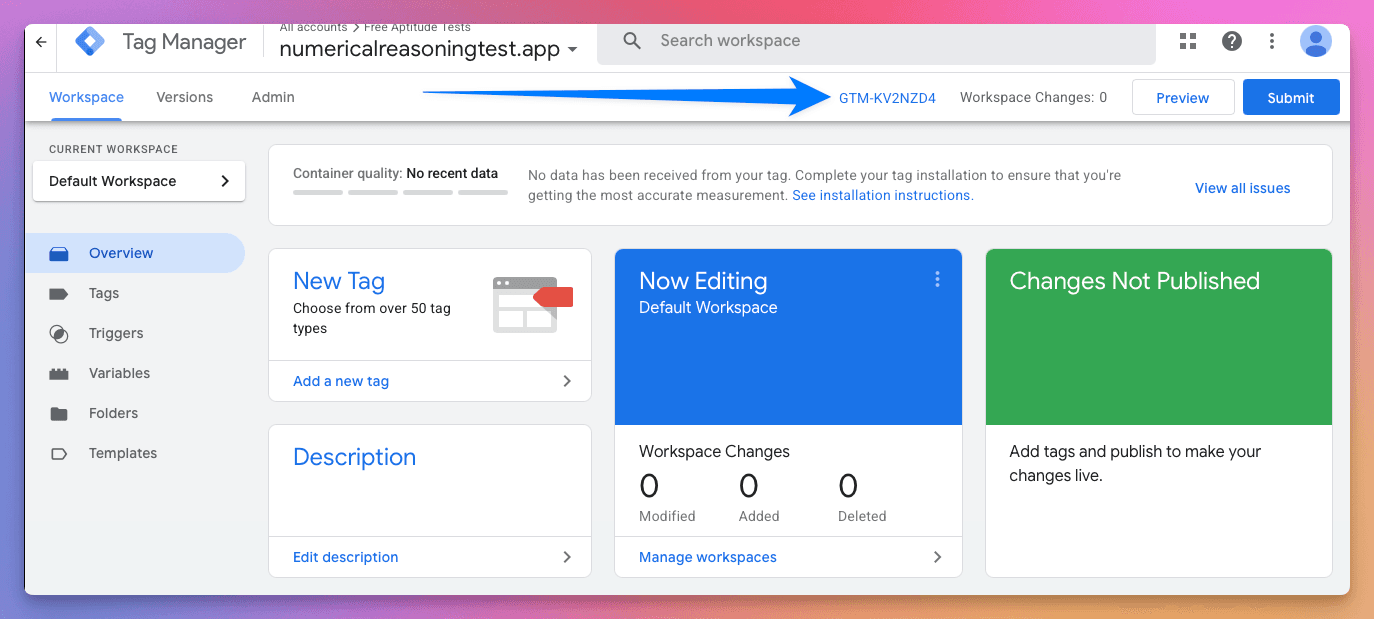
In Google Tag Manager, your Container ID appears at the top of the workspace. It starts with GTM- followed by a series of letters and numbers (e.g., GTM-XXXXXXX).
Create a new link in Linkly
Click Create New Link from the sidebar.
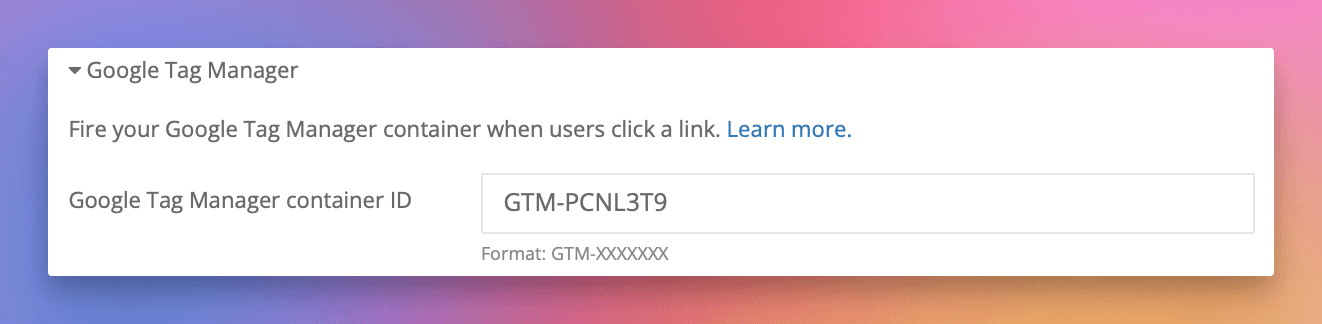
Under Options, select Google Tag Manager.
Paste your Container ID into the Google Tag Manager field.
Save your link.
When users click this link, your GTM container will fire before they are redirected to the destination URL.
Frequently asked questions
What tags can I use in my GTM container?
You can include any tags supported by Google Tag Manager, including Meta Pixel, Google Analytics, LinkedIn Insight Tag, custom HTML, and more. Whatever tags are configured in your container will fire when users click your link.
Does using GTM slow down my redirects?
Yes, firing tags necessarily adds a short delay before users are redirected. For more information, see our article on fixing slow redirects.
Should I use GTM or add pixels directly in Linkly?
If you already have a GTM container configured with your marketing pixels, use GTM for simplicity. If you only need one or two specific pixels (like Meta Pixel or GA4), you can add them directly in Linkly without GTM.
Plan availability
Available on Pro and above
Get 100 short links and track 500 monthly clicks for free.