
Thông báo Nhấp chuột
Thông báo nhấp chuột cho phép bạn nhận thông báo qua email hoặc push trình duyệt bất cứ khi nào một trong các liên kết của bạn được nhấp. Bạn có thể chọn chính xác những thành viên không gian làm việc nào sẽ được thông báo cho mỗi liên kết.
Các tính năng chính
- Cấu hình từng liên kết - Bật thông báo trên các liên kết quan trọng với bạn
- Chọn người nhận - Chọn những thành viên không gian làm việc nào nhận thông báo cho mỗi liên kết
- Thông báo qua email và push - Nhận thông báo qua email và tùy chọn thông qua push trình duyệt trên thiết bị máy tính để bàn hoặc di động của bạn
- Thông báo Slack — Đăng thông báo nhấp chuột vào kênh Slack bằng cách kết nối ứng dụng Linkly Slack và chạy
/linkly notifytrong kênh của bạn - Giới hạn tốc độ tự động - Tối đa một thông báo cho mỗi liên kết cứ 6 giờ, vì vậy bạn sẽ không bị quá tải bởi các liên kết có lưu lượng cao
- Lọc bot - Chỉ các nhấp chuột thực tế từ con người mới kích hoạt thông báo. Các nhấp chuột từ bot và crawler bị loại trừ
- Hủy đăng ký chỉ một clic - Mỗi email thông báo đều bao gồm liên kết hủy đăng ký để dừng thông báo cho liên kết đó
Cách bật thông báo nhấp chuột
Đi tới Links và nhấp vào liên kết bạn muốn cấu hình.
Cuộn xuống phần Notifications và mở rộng nó.
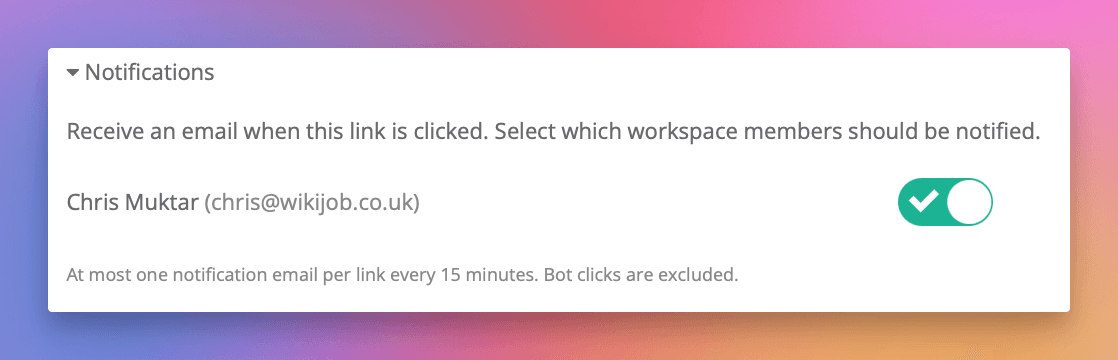
Bật các thành viên không gian làm việc sẽ nhận thông báo.
Mỗi thành viên có công tắc riêng của họ. Bạn có thể bật thông báo cho một người hoặc nhiều người.
Nhấp Save.
Các thành viên được chọn sẽ nhận được email vào lần tiếp theo liên kết này được nhấp.
Thông báo push trình duyệt
Ngoài email, bạn có thể nhận thông báo push trình duyệt tức thì khi các liên kết của bạn được nhấp. Thông báo push xuất hiện trên thiết bị máy tính để bàn hoặc di động của bạn ngay cả khi Linkly không mở.
Bật thông báo push
- 1Đi tới Account Settings (dưới tab Account)
- 2Trong phần Browser Notifications, bật công tắc để bật thông báo push cho trình duyệt đó
- 3Khi trình duyệt nhắc, nhấp Allow
Sau khi bật, bất kỳ liên kết nào có thông báo nhấp chuột bật lên cũng sẽ gửi thông báo push đến thiết bị của bạn. Bạn có thể bật thông báo push trên nhiều trình duyệt và thiết bị — mỗi cái sẽ nhận thông báo độc lập.
Nhấp vào thông báo push sẽ đưa bạn trực tiếp đến báo cáo lưu lượng truy cập cho liên kết được nhấp.
Khắc phục sự cố thông báo push
Nếu bạn không nhận được thông báo push:
- Đảm bảo Focus mode hoặc Do Not Disturb bị tắt trên thiết bị của bạn
- Kiểm tra rằng thông báo được phép cho trình duyệt của bạn trong cài đặt thông báo của thiết bị
- Thử nút Test bên cạnh công tắc trong Account Settings để xác minh giao hàng
- Nếu bạn gần đây đã thay đổi trình duyệt hoặc xóa dữ liệu trang, bạn có thể cần tắt push và bật lại để đăng ký lại
Thông báo Slack
Bạn cũng có thể nhận thông báo nhấp chuột trong Slack. Khi ứng dụng Linkly Slack được kết nối với không gian làm việc của bạn, hãy bật Send to Slack trên bất kỳ liên kết nào để đăng thông báo vào kênh được cấu hình của bạn.
Thiết lập thông báo Slack
- 1Cài đặt ứng dụng Linkly Slack — nhấp Add to Slack trên trang tích hợp Slack hoặc từ phần Click Notifications trên bất kỳ liên kết nào.
- 2Trong Slack, đi tới kênh nơi bạn muốn nhận thông báo và chạy
/linkly notify. - 3Quay lại Linkly, chỉnh sửa liên kết và bật Send to Slack trong phần Click Notifications.
Thông báo bao gồm tên liên kết, URL ngắn, quốc gia, trình duyệt và liên kết trực tiếp đến phân tích cho liên kết đó.
Thông báo Slack sử dụng cùng giới hạn tốc độ 6 giờ như email: tối đa một thông báo cho mỗi liên kết cứ 6 giờ.

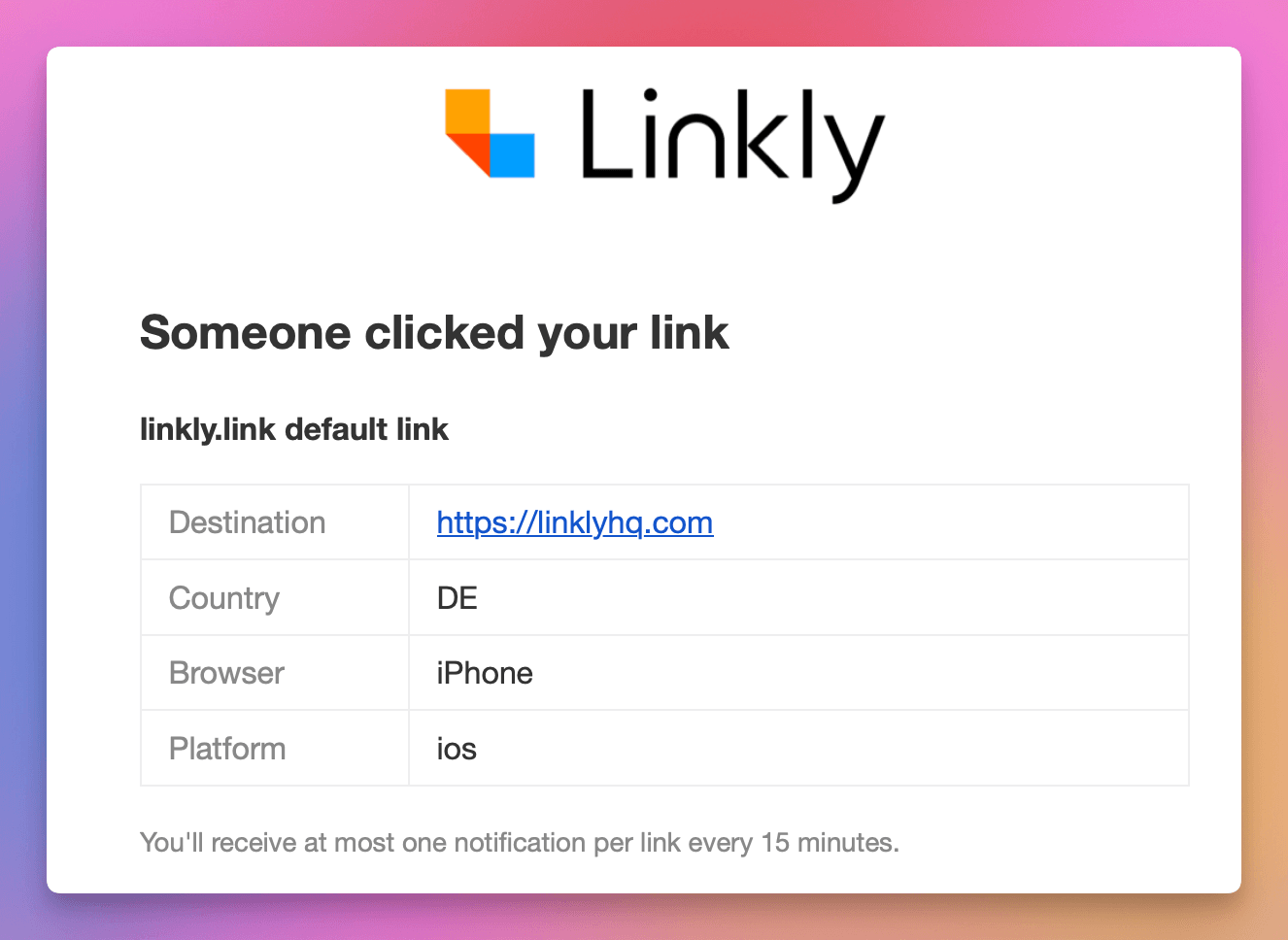
Nội dung email thông báo là gì?
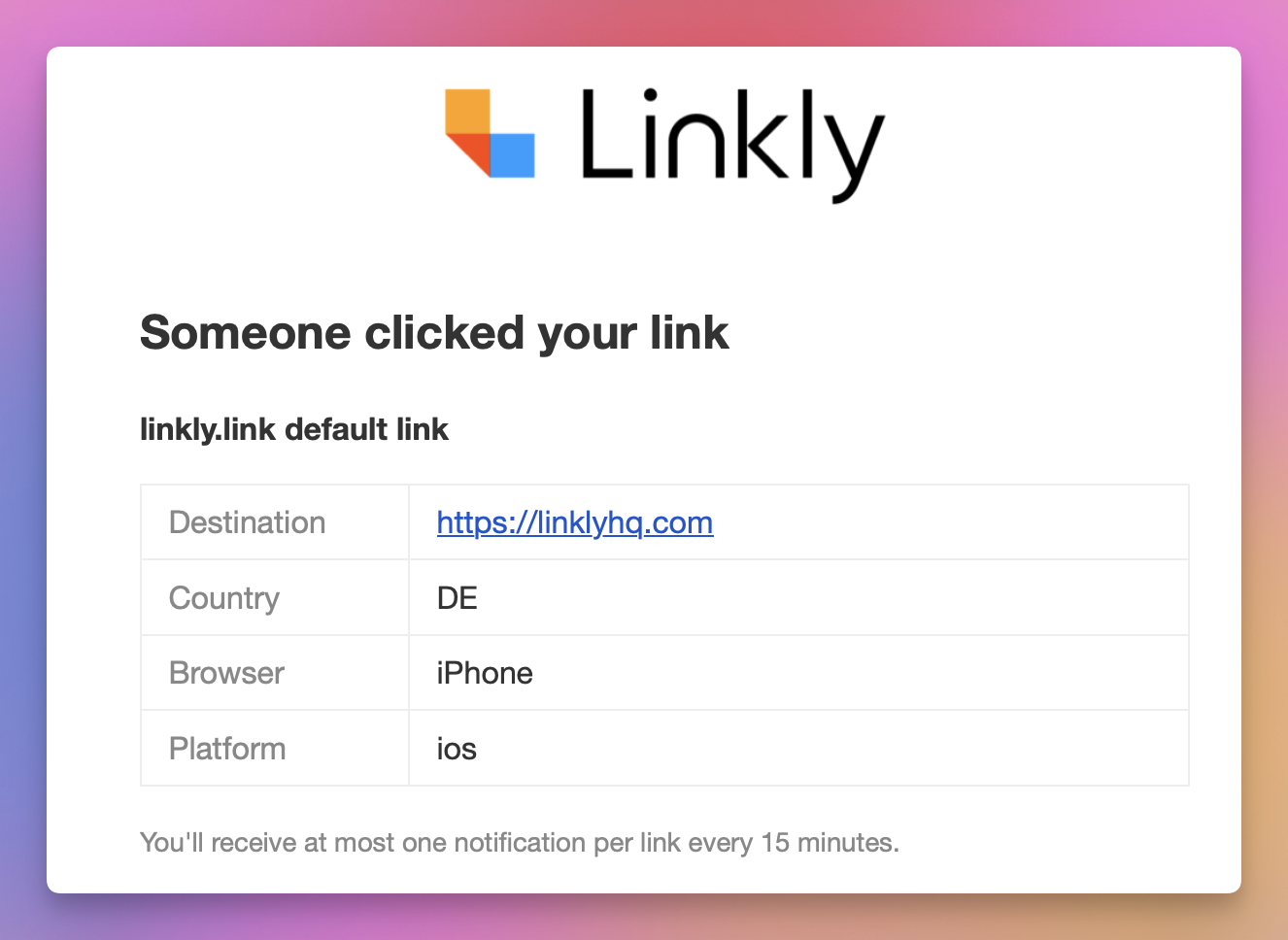
Mỗi email thông báo bao gồm:
- Tên liên kết - Biệt danh của liên kết được nhấp
- Destination - Nơi khách truy cập được chuyển hướng đến
- Quốc gia - Quốc gia mà lần nhấp chuột đến từ đó
- Trình duyệt - Trình duyệt được sử dụng (Chrome, Safari, Firefox, v.v.)
- Platform - Nền tảng thiết bị (máy tính để bàn, iOS, Android, v.v.)
- Nút View Analytics - Liên kết nhanh tới bảng điều khiển không gian làm việc của bạn
Cách giới hạn tốc độ hoạt động
Để tránh bạn bị tràn khi một liên kết phổ biến nhận được nhiều lần nhấp, Linkly gửi tối đa một thông báo cho mỗi liên kết cứ 6 giờ. Điều này áp dụng cho cả email và thông báo push.
Ví dụ, nếu liên kết của bạn nhận được 50 lần nhấp trong 10 phút, bạn sẽ nhận được một email cho lần nhấp đầu tiên. Sau khi 6 giờ trôi qua, lần nhấp tiếp theo sẽ kích hoạt một thông báo khác.
Giới hạn tốc độ là từng liên kết, không phải từng không gian làm việc. Nếu bạn bật thông báo trên ba liên kết khác nhau, mỗi liên kết có cửa sổ 6 giờ riêng của nó.
Hủy đăng ký
Có hai cách để dừng nhận thông báo nhấp chuột cho liên kết:
- 1
Từ email - Nhấp vào liên kết "Unsubscribe" ở cuối bất kỳ email thông báo nào. Điều này sẽ ngay lập tức loại bỏ bạn khỏi thông báo của liên kết đó mà không cần phải đăng nhập.
- 2
Từ cài đặt liên kết - Chỉnh sửa liên kết, cuộn đến phần Notifications và tắt công tắc của bạn.
Các ứng dụng email hỗ trợ RFC 8058 (chẳng hạn như Gmail và Apple Mail) cũng sẽ hiển thị nút hủy đăng ký chỉ một clic ở đầu email.
Truy cập API
Bạn có thể cấu hình thông báo nhấp chuột thông qua API bằng cách bao gồm trường notify_user_ids khi tạo hoặc cập nhật liên kết:
{
  "url": "https://example.com",
  "name": "My Link",
  "notify_user_ids": [123, 456]
}
Trường notify_user_ids chấp nhận một mảng ID người dùng. Bạn có thể tìm ID người dùng thông qua điểm cuối API người dùng không gian làm việc (GET /api/v1/workspace/:workspace_id/users).
Đặt notify_user_ids thành mảng trống [] để tắt thông báo.
Đặt notify_slack: true để bật thông báo Slack cho liên kết (yêu cầu ứng dụng Linkly Slack được cài đặt và kênh được cấu hình thông qua /linkly notify). Đặt notify_slack: false để tắt.
Câu hỏi thường gặp về thông báo nhấp chuột
Tại sao tôi không nhận được thông báo cho lần nhấp chuột?
Có một số lý do có thể xảy ra. Lần nhấp chuột có thể đến từ một bot hoặc crawler, được loại trừ tự động. Một thông báo khác cho cùng một liên kết có thể đã được gửi trong 6 giờ qua (giới hạn tốc độ). Lần nhấp chuột cũng có thể bị loại trừ bởi cài đặt loại trừ IP của không gian làm việc của bạn hoặc ghi lại nhấp chuột có thể bị tạm dừng vì tài khoản của bạn vượt quá giới hạn kế hoạch. Đối với thông báo push, cũng kiểm tra rằng Focus mode hoặc Do Not Disturb không được bật trên thiết bị của bạn.
Tôi có thể nhận thông báo cho mỗi lần nhấp chuột không?
Thông báo bị giới hạn tốc độ tối đa một lần cho mỗi liên kết cứ 6 giờ. Điều này áp dụng cho cả email và thông báo push và là để bảo vệ bạn khỏi bị quá tải trên các liên kết có lưu lượng cao. Nếu bạn cần dữ liệu thời gian thực cho mỗi lần nhấp chuột, hãy xem xét sử dụng webhooks thay thế, điều này kích hoạt cho mỗi lần nhấp chuột mà không giới hạn tốc độ.
Thông báo nhấp chuột có tính vào giới hạn kế hoạch của tôi không?
Không. Thông báo nhấp chuột là tính năng được bao gồm và không tính vào giới hạn nhấp chuột hoặc liên kết của kế hoạch của bạn.
Tôi có thể chọn loại nhấp chuột nào kích hoạt thông báo không?
Hiện tại, tất cả các nhấp chuột không phải bot kích hoạt thông báo. Bạn không thể lọc theo quốc gia, thiết bị hoặc tiêu chí khác. Nếu bạn cần thông báo có điều kiện, hãy xem xét sử dụng webhooks với nền tảng tự động hóa như Make hoặc Zapier để áp dụng bộ lọc của riêng bạn.
Tôi có thể nhận thông báo nhấp chuột trong Slack không?
Có. Cài đặt ứng dụng Linkly Slack, chạy /linkly notify trong kênh mong muốn của bạn, sau đó bật Send to Slack cho bất kỳ liên kết nào. Xem hướng dẫn tích hợp Slack để biết chi tiết.
Tính khả dụng của gói dịch vụ
Có sẵn trên Starter trở lên
Nhận ngay 100 liên kết rút gọn và theo dõi 500 lượt nhấp chuột mỗi tháng hoàn toàn miễn phí.
Không cần thẻ tín dụng
Khối lượng giao dịch lớn? Hãy liên hệ với đội ngũ của chúng tôi.