
VAT for European Customers
For customers in the European Union, Linkly is required to collect Value Added Tax (VAT) to comply with European tax laws.
Most businesses in the EU are not required to pay VAT upon presentation of a valid EU VAT number.
Linkly uses Stripe to handle billing, so your VAT number is stored against your billing record in Stripe rather than in Linkly itself. You reach it from Linkly in a couple of clicks — the steps below walk you through it.
How to add a VAT number to your Linkly account
Click Settings in the sidebar, then open the Billing tab
The Billing tab sits alongside Workspace, Link Defaults, Account and API.
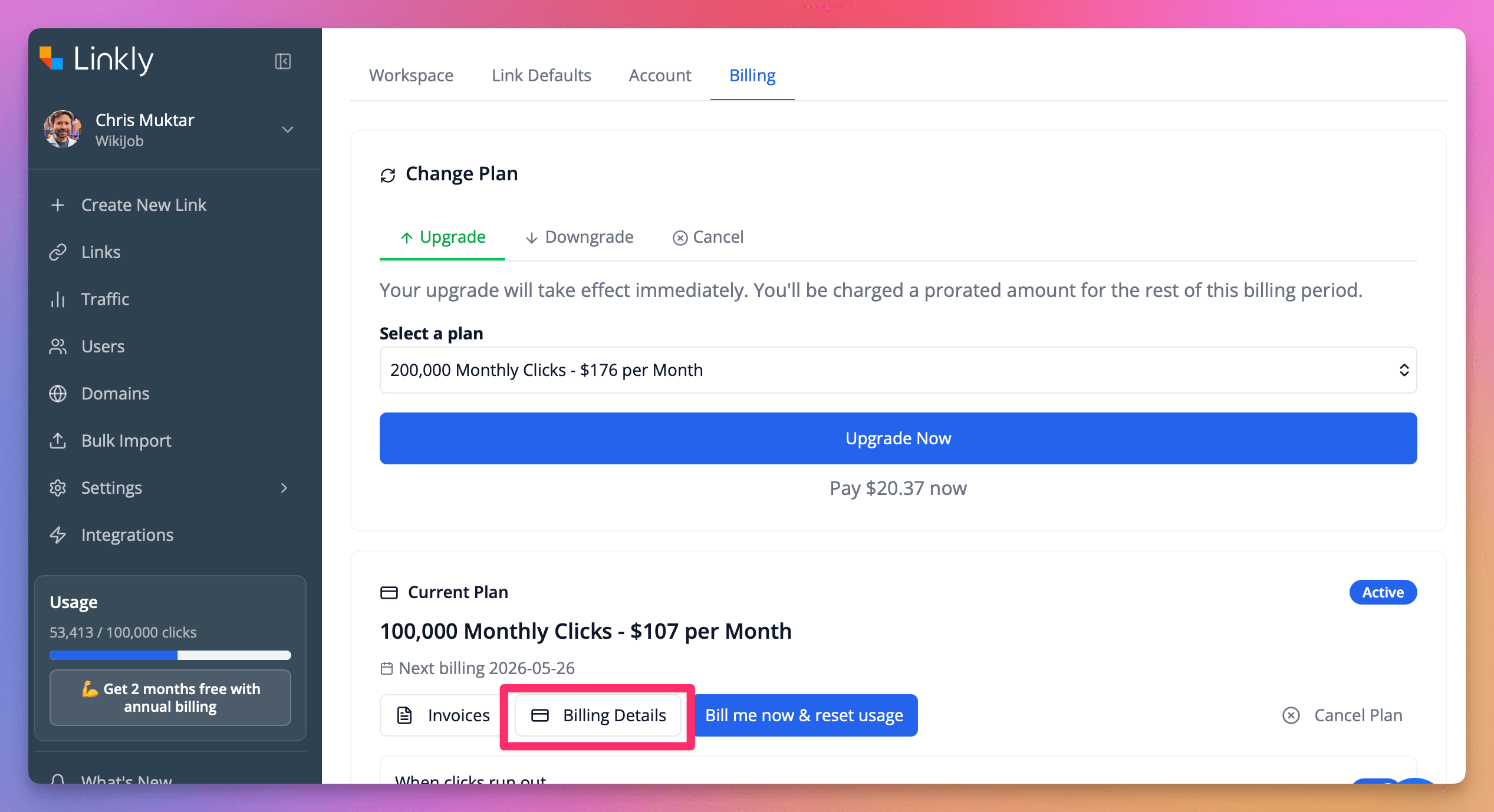
Under Current Plan, click Billing Details
This opens Linkly's billing portal, hosted by Stripe, in the same tab. You can return at any time using the Return to Linkly Ltd link in the top left.
Under Billing information, click Update information
Your current name, email, billing address and any saved tax IDs are listed here.
In the Tax ID section, choose your ID type and enter your Number
Pick the type that matches your registration — for example GB VAT for the United Kingdom, or EU VAT for an EU member state. Enter the number without spaces. If you need to record more than one registration, click Add another ID.
Click Save
Your VAT number appears as the Tax ID on your billing record and on all future invoices. Check the business Name is correct at the same time, as it also appears on your invoices.
Frequently asked questions
Why does clicking Billing Details take me to Stripe?
Linkly uses Stripe as its payment processor, and your billing record — including your VAT number, billing address and payment method — is held there. The portal is Linkly's own billing portal, hosted by Stripe. Use the Return to Linkly Ltd link in the top left to come back.
Where do I find my VAT number once it's saved?
It appears as the Tax ID under Billing information in the billing portal, and on every invoice issued after you added it.
Can I add more than one VAT number?
Yes. In the Tax ID section, click Add another ID and select the relevant ID type for each registration.
Get 100 short links and track 500 monthly clicks for free.