
Purchase a Managed Domain from Linkly
Purchasing a domain from Linkly allows you to focus on created branded shortlinks without any configuration work.
Domain purchasing is available on plans, including the free plan.
How to purchase a domain with Linkly
Click 'Domains' in the left-hand menu
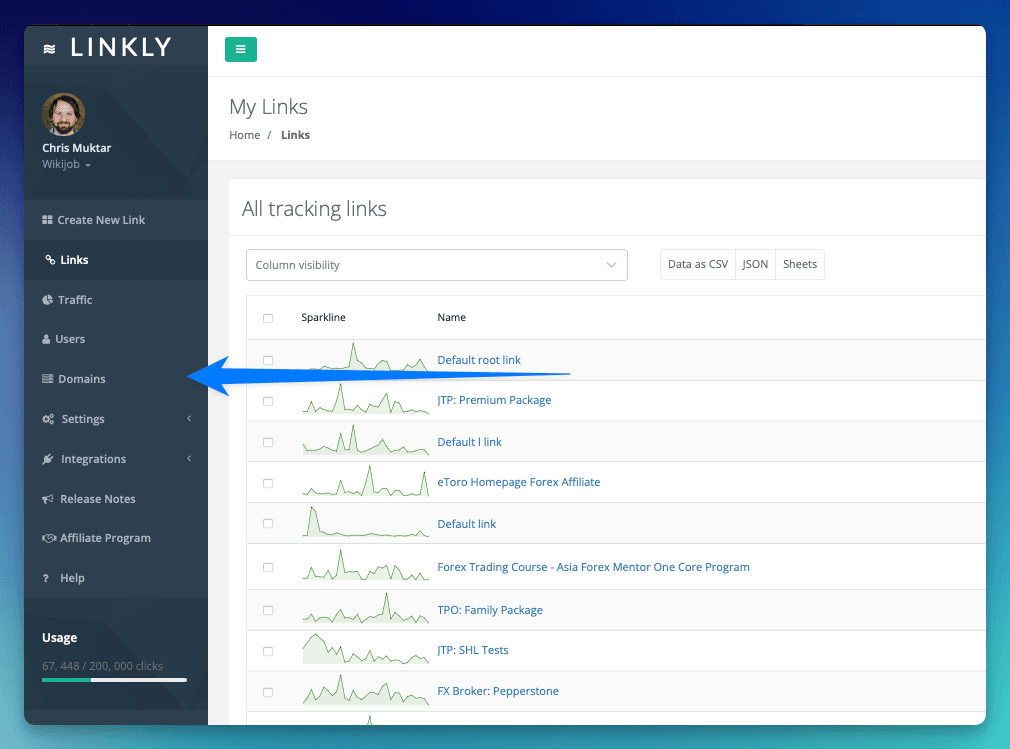
Select 'buy a domain'
You can also attach a domain you already own to Linkly.

Search for the domain you would like to purchase
We offer most major TLDs.
Click 'Purchase'
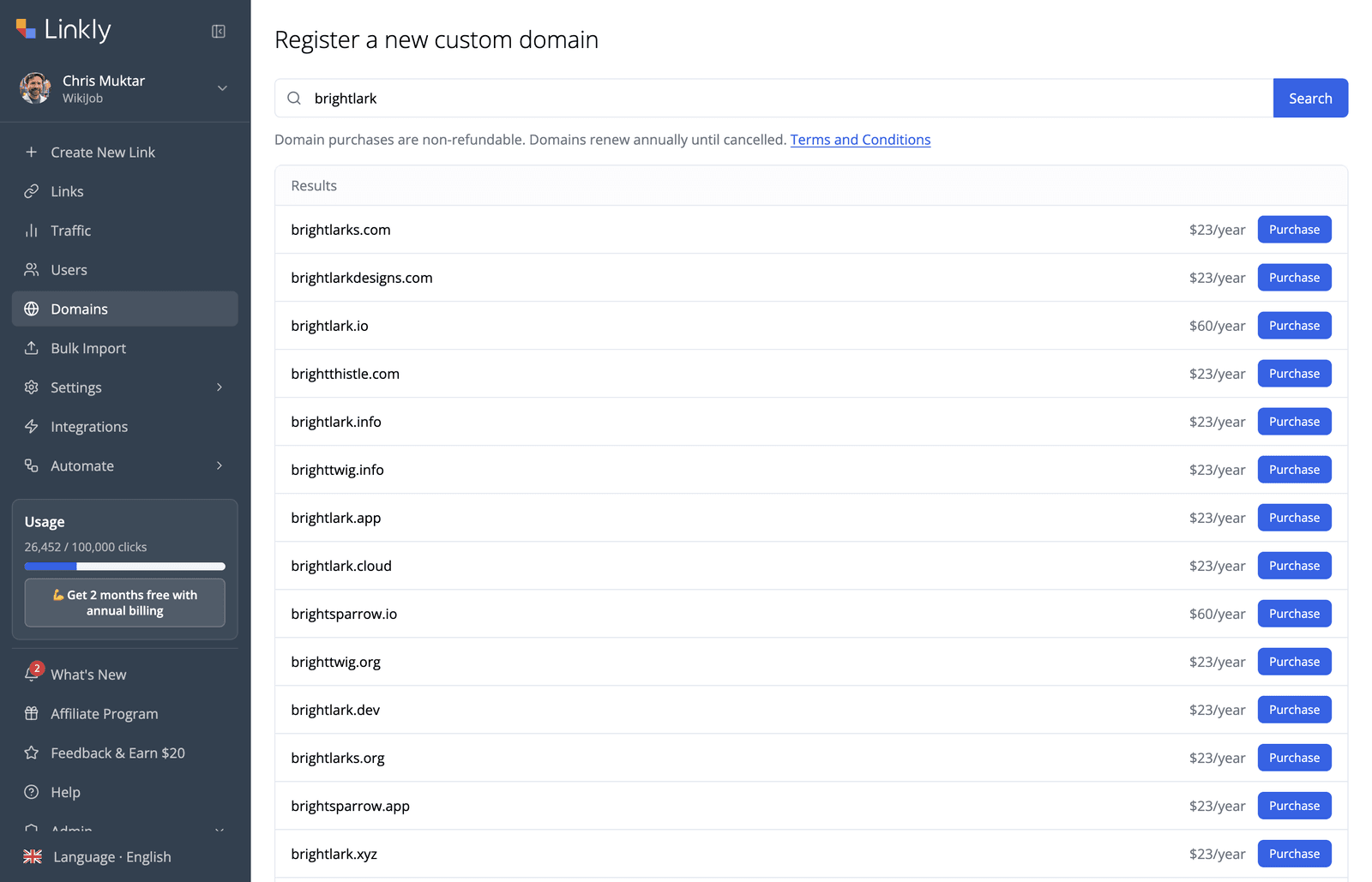
Pay for your domain
It takes about 30 minutes for a domain to become active.
No refunds available for domains purchased.
Managing DNS records
Linkly sets up the DNS for your managed domain so your short links work straight away. You can also add your own records, for example to verify the domain with Google Search Console, Google Workspace or Microsoft 365, to set up email, or to point a subdomain such as www or shop at another service.
To manage them, click Domains in the left-hand menu. A managed domain shows a Managed badge, with a DNS records button next to it. Click it to open DNS records for your-domain.com, which lists every record with its Name, Type, Value and TTL.
- Add a record: click Add record, choose the type (A, AAAA, CNAME, TXT, MX, CAA or SRV), fill in the details and save.
- Edit or remove a record: use Edit or Remove on the record's row.
- Name: use
@for the root domain (your-domain.com), or a subdomain such aswww. - Value: enter one value per line. Long TXT values, such as DKIM keys, are fine: they are split automatically.
- TTL: defaults to 300 seconds. You can set anything from 60 to 86400.
- Same name and type: saving a record with the same name and type as an existing one replaces it.
- CNAME records: a CNAME can't share a name with any other record. If it does, the dialog shows an error.
- Managed by Linkly: the records Linkly needs to serve your short links (the root A and AAAA records, plus the nameserver and SOA records) are labelled Managed by Linkly and can't be edited.
Changes usually take effect within a few minutes.
Common uses
- Verify your domain with Google Search Console, Google Workspace or Microsoft 365: add the TXT record the service gives you.
- Set up email: add the MX records from your email provider, plus the SPF, DKIM and DMARC TXT records.
- Point a subdomain at another service: add a CNAME record, for example
wwworshop, with the address the service gives you.
Terms and conditions of Linkly managed domains
- Domain purchases are not refundable under any circumstance, and are not covered by Linkly's refund policy.
- Linkly Ltd registers the domain in its own name and holds it on your behalf. You have exclusive use of the domain with Linkly while your domain subscription is active.
- Use of a domain is subject to Linkly's acceptable use policy.
- You must not buy a domain that contains or imitates a trade mark or brand you don't have the right to use, such as a well-known company or product name. We may refuse or cancel these.
- If we receive a complaint or legal claim about your domain, we may share your name and contact details with the complainant, disable your links on the domain, and suspend, cancel or transfer the domain. See section 9.7 of our terms.
- Linkly is not liable and provides no guarantees or warranties for any issues with domain registration, renewal, lapsing.
- Linkly manages the DNS records needed to serve your short links, and these can't be changed. You can add, edit and remove your own records alongside them, as described in Managing DNS records above.
- Linkly reserves the right to adjust the renewal price of a domain. We will give at least 30 days notice of any price changes.
- You can ask us to transfer a domain into your own name at another registrar. Domains must be at least 60 days old before they can be transferred.
Frequently asked questions
How long does it take for my domain to become active?
Once registered, it takes about 30 minutes for the registration to become fully active.
Can I add my own DNS records to a managed domain?
Yes. Click Domains, then DNS records next to the Managed badge. You can add, edit and remove A, AAAA, CNAME, TXT, MX, CAA and SRV records, for example to verify the domain, set up email or point a subdomain at another service.
The records Linkly needs to serve your short links are Managed by Linkly and can't be edited.
What happens if my card is unable to be billed?
We will retry your card for 7 days.
If we are unable to charge your card, your registration will be cancelled.
Who is the legal registrant of the domain?
Linkly Ltd is the legal registrant of the domain. We register it in our own name and hold it on your behalf, and you have exclusive use of it with Linkly while your domain subscription is active.
If you'd like the domain registered in your own name, contact us and we can transfer it to a registrar of your choice.
Get 100 short links and track 500 monthly clicks for free.