

Bitly Review 2026
Complete analysis of features, pricing, and alternatives
Last updated May 2026
Bitly Overview
Bitly Screenshots
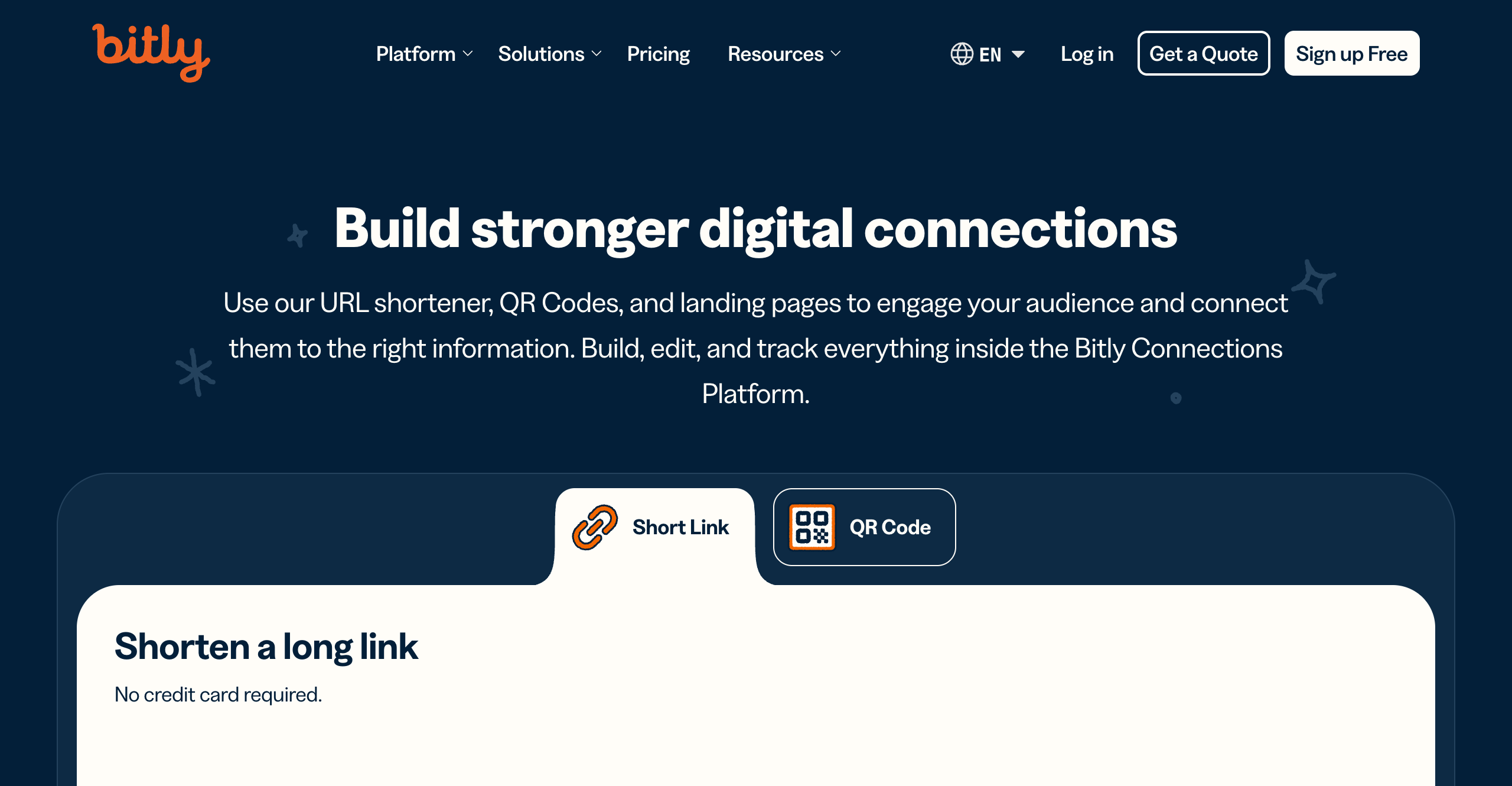
Homepage
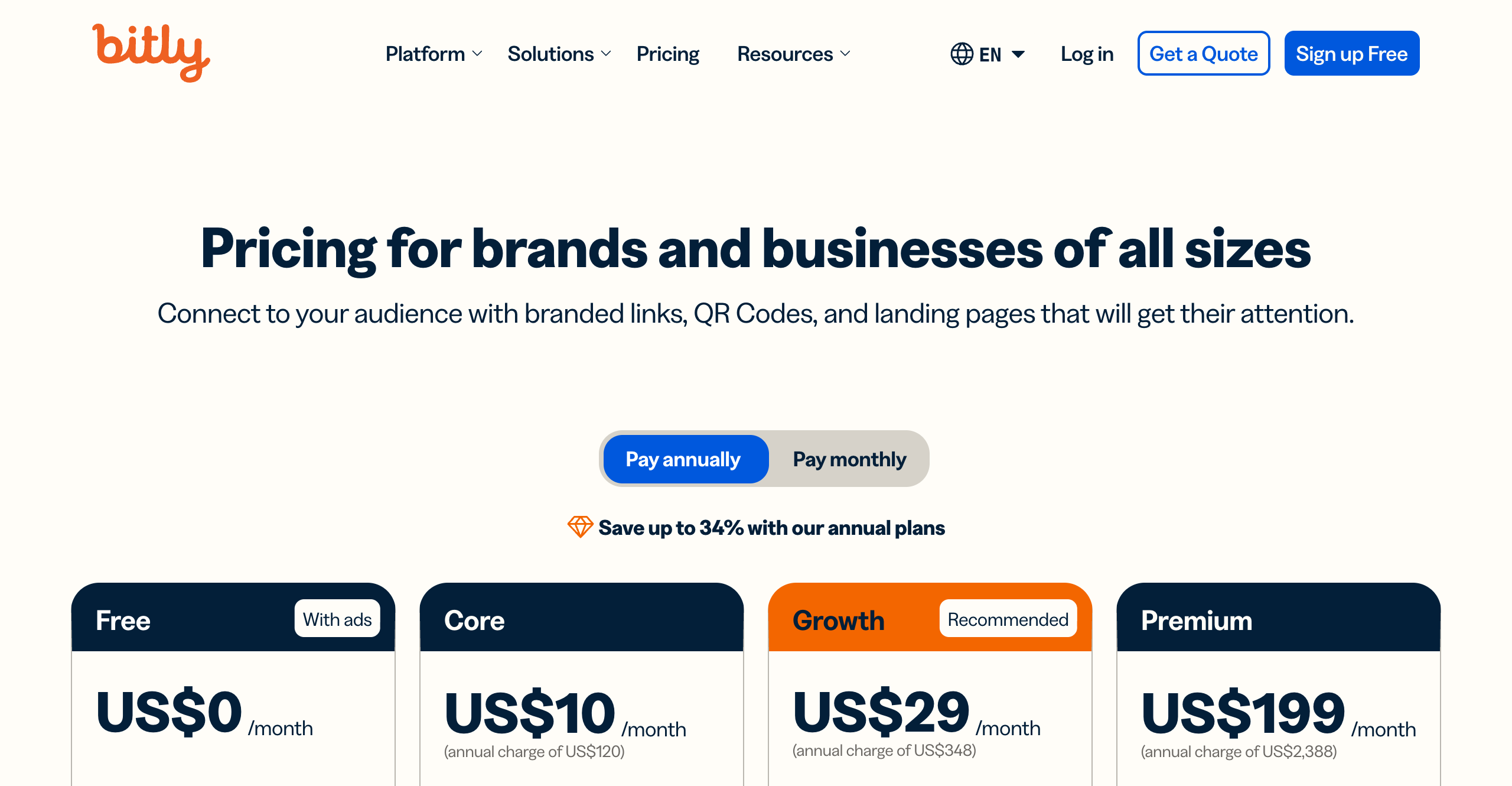
Pricing Page
Bitly Key Differentiator
Market leader with largest ecosystem
Bitly Pricing
Bitly Features
- Advanced analytics
- Custom domains
- UTM builder
- QR codes
- Mobile deep linking
- Team collaboration
- Bulk operations
- Comprehensive API
- Pages (link-in-bio)
Bitly Target Users
- Individuals
- Marketers
- Enterprises
- Agencies
Bitly Integrations
- Zapier (8000+ apps)
- Google Analytics
- Adobe Analytics
- Social platforms
- Marketing automation
Bitly API
Bitly Security
Bitly Compliance
Bitly Performance
Bitly Revenue
Estimated Revenue: $100M+ ARR (end of 2022)
Bitly is the most recognizable name in URL shortening. Founded in 2008 in New York City, it grew alongside the rise of Twitter and social media marketing, becoming the default tool that millions of people associate with shortened links. Today, Bitly processes billions of clicks per month and serves everyone from solo creators to Fortune 500 companies. It is, by any measure, the market leader. But as Bitly has matured and shifted its focus toward enterprise customers, its pricing has climbed steadily — leaving many individuals, small businesses, and growing marketing teams looking for alternatives that deliver better value.
This review takes an honest look at what Bitly offers in its current form, what it costs, where it excels, and where it falls short.
Bitly Pricing in {year}
Bitly offers five tiers, and understanding what each one actually includes is important because the limits are tighter than you might expect.
Free Plan — $0/month. You get 5 shortened links per month and 2 QR codes. That is not a typo. Five links. For most people, this is barely enough to test the product, let alone use it for any real marketing work. There is no custom domain support and analytics are extremely limited. The free tier exists primarily as a trial.
Core Plan — $10/month, billed annually only. There is no monthly billing option for Core. You get 100 shortened links per month, 5 QR codes, and just 30 days of analytics data retention. Custom domains are not available on this tier — you need the Growth plan to connect a branded domain. This plan works for light personal use, but the 30-day data retention window means you lose visibility into your link performance after just one month.
Growth Plan — $35/month on monthly billing, or $29/month if you commit to annual billing. This bumps you up to 500 links per month, 10 QR codes, and 4 months of data retention. You also get city-level analytics, UTM parameters, and campaign management features. For many marketers, the Growth plan is where Bitly starts to become genuinely useful — but 500 links per month can be restrictive if you are running multiple campaigns, managing social media for several brands, or doing any kind of affiliate marketing at scale.
Premium Plan — $300/month, or $199/month on annual billing. The jump from Growth to Premium is steep: you go from $35/month to $300/month with no intermediate option. Premium includes 3,000 links per month, 200 QR codes, 1 year of data retention, mobile deep linking, and advanced permissions for team collaboration. This tier is clearly aimed at mid-market and enterprise teams, but the price point puts it out of reach for many smaller organizations that need more than 500 links but cannot justify $300 per month.
Enterprise Plan — Custom pricing. You get everything in Premium plus a 99.9% SLA, 2 years of data retention, SSO, audit logs, and a dedicated account manager. Enterprise is designed for large organizations with complex compliance and governance requirements.
A few things stand out about Bitly's pricing. First, the Core plan being annual-only is unusual — most SaaS tools offer monthly billing on every tier. Second, the gap between Growth ($35/month) and Premium ($300/month) is enormous. If you outgrow 500 links per month, your next option is nearly 10x the cost. Third, data retention on the lower tiers is genuinely limiting. Losing analytics history after 30 days (Core) or 4 months (Growth) means you cannot do year-over-year comparisons or long-term performance analysis without paying premium prices.
Bitly Features: What You Actually Get
Credit where it is due: Bitly's feature set is comprehensive and well-built.
Link Shortening and Custom Domains — The core product works reliably. You can use Bitly's default bit.ly domain or connect your own custom branded domains. Link creation is straightforward, and the interface is clean and intuitive.
Analytics — Bitly provides click tracking with breakdowns by geographic location, referrer, device type, and time. Higher-tier plans add city-level data and more granular reporting. The analytics dashboard is well-designed and easy to navigate, though the data retention limits on lower plans reduce its usefulness significantly.
UTM Builder — Growth plans and above include a built-in UTM parameter builder, which simplifies campaign tracking in Google Analytics. This is a useful convenience feature, though standalone UTM builders are freely available elsewhere.
QR Codes — Bitly added QR code generation as a major product feature. You can create customizable QR codes tied to your shortened links, with tracking included. QR code limits vary by plan, starting at just 2 on the free tier.
Mobile Deep Linking — Available on Premium and Enterprise plans, this lets you route users to specific in-app content rather than just a web page. This is valuable for mobile-first businesses and app developers.
Team Collaboration — Higher tiers include multi-user workspaces with role-based permissions, shared link libraries, and activity logs. Enterprise adds SSO and audit trails.
Bulk Operations — You can create and manage links in bulk via CSV upload or the API, which is essential for teams managing large link volumes.
API — Bitly's REST API uses OAuth 2.0 authentication and supports link creation, management, and analytics retrieval. Rate limits range from 1,000 to 150,000+ requests per month depending on your plan. The API is well-documented and widely integrated.
Pages (Link-in-Bio) — A relatively newer addition, Bitly Pages lets you create simple landing pages — similar to Linktree — to house multiple links under one URL. It is a basic but functional feature for creators and social media managers.
Integrations — This is one of Bitly's genuine strengths. The Zapier integration alone connects Bitly to over 8,000 apps. There are also direct integrations with Google Analytics, Adobe Analytics, and most major social media and marketing automation platforms. If you need a link shortener that plugs into a complex tech stack, Bitly's ecosystem is hard to beat.
Security and Compliance — SOC2 certification, SSO support, and audit logs on enterprise plans. GDPR compliant. For organizations with strict security requirements, Bitly checks the boxes.
The honest assessment: Bitly's features are solid across the board. The product is mature, reliable, and well-integrated. The issue is not what Bitly offers — it is how much of it is locked behind the expensive tiers. Many of the features that marketers actually need on a daily basis are gated behind the $35/month Growth plan or the $300/month Premium plan.
Bitly Pros and Cons
Pros
- Most recognized brand in the space. When you say "Bitly link," everyone knows what you mean. The
bit.lydomain has near-universal recognition, which can matter for click trust in some contexts. - Massive integration ecosystem. With Zapier connecting to 8,000+ apps and direct integrations with major analytics and marketing platforms, Bitly fits into virtually any workflow.
- Reliable infrastructure. Bitly has maintained near-100% uptime historically. Links redirect quickly, and the service handles enormous traffic volumes without issues.
- Comprehensive API. The OAuth 2.0 REST API is well-documented, battle-tested, and supports the full range of Bitly functionality. Developers building custom integrations will find it straightforward to work with.
- Strong enterprise features. SOC2, SSO, audit logs, SLAs, and dedicated support. For large organizations with compliance requirements, Bitly delivers what procurement teams need to see.
Cons
- Expensive for what you get. Dollar for dollar, Bitly is one of the more expensive URL shorteners on the market, particularly at the Growth and Premium tiers.
- Free plan is nearly useless. Five links per month is not enough for any practical use case. It functions as a restricted trial rather than a genuine free tier.
- Data retention limited on lower tiers. Losing analytics after 30 days (Core) or 4 months (Growth) is a real problem for marketers who need historical data.
- Massive price jump from Growth to Premium. Going from $35/month to $300/month with nothing in between forces many teams into either overpaying or accepting feature limitations.
- Core plan is annual-only. No monthly billing option on the $10/month tier reduces flexibility for users who want to try it without a year-long commitment.
Best Bitly Alternatives
Given Bitly's pricing structure, it is no surprise that many users and teams explore alternatives. The most commonly considered options include Linkly, Rebrandly, Short.io, and TinyURL.
Each alternative has different strengths. Rebrandly focuses heavily on branded domains and offers a European-hosted option. Short.io provides generous link limits at competitive prices. TinyURL offers simplicity and a well-known brand. And Linkly takes a fundamentally different approach to pricing and feature access that is worth examining in detail.
Bitly vs Linkly
Both Bitly and Linkly offer the core functionality marketers need: link shortening, click analytics, custom branded domains, QR code generation, and team collaboration. The differences come down to pricing philosophy and feature accessibility.
Pricing model. Bitly prices based on the number of links you can create per month. Linkly prices based on click volume instead. This is a significant distinction. With Linkly, you can create unlimited links on any plan — there is no cap on how many shortened URLs you generate. You pay based on how many clicks those links receive. Linkly starts with a free tier that includes 500 tracked clicks per month, and paid plans begin at $39/month for 25,000 clicks.
To put this in perspective: Bitly's $35/month Growth plan gives you 500 links per month with 4 months of data retention. For a similar monthly cost, Linkly gives you unlimited links and 25,000 tracked clicks with full analytics.
Feature access. This is where the difference is most stark. Bitly gates many features behind higher-priced tiers. Want mobile deep linking? That is Premium ($300/month). Advanced permissions? Premium. Extended data retention? You pay more for it at every tier.
Linkly includes retargeting pixels, geographic and device-based routing rules, A/B testing, link rotators, and full analytics. The only variable across plans is click volume.
Retargeting and routing. Linkly includes retargeting pixel support on all plans, allowing you to add Facebook, Google, and other ad platform pixels to your shortened links. It also offers geographic routing (send users to different destinations based on their country) and device routing (different URLs for mobile vs. desktop). These are features that Bitly either does not offer or reserves for enterprise customers.
Data retention. Linkly does not impose the kind of tiered data retention limits that Bitly uses. You maintain access to your analytics history without worrying about data disappearing after 30 days or 4 months.
For marketers, publishers, and agencies who need full-featured link management without artificial restrictions, the value proposition is clear. Linkly delivers more functionality at a lower price point, with a pricing model that scales more naturally with actual usage.
The Bottom Line
Bitly is the safe, established choice. It is the market leader with the biggest brand name, the widest integration ecosystem, and a track record of reliability that spans over 15 years. For enterprise organizations that need SOC2 compliance, SSO, SLAs, and a vendor that procurement teams will recognize immediately, Bitly remains a strong option.
But for marketers, publishers, agencies, and growing businesses who want full-featured link management without paying enterprise prices, Bitly's current pricing structure creates real friction. The restrictive link limits on lower tiers, the limited data retention, the enormous price jump from Growth to Premium, and the feature gating all push users toward spending more than they may need to.
If you are evaluating your options, the question is straightforward: do you need the Bitly brand name specifically, or do you need powerful link management tools that work within your budget? If the answer is the latter, Linkly offers significantly better value — with unlimited link creation and pricing that scales with your actual click volume rather than arbitrary link caps.
Looking for a Bitly Alternative?
Try Linkly - the powerful URL shortener with advanced analytics, custom domains, and reliable tracking.
Try Linkly Free