

Reseña de TinyURL 2026
Análisis completo de funciones, precios y alternativas
Última actualización abril de 2026
Descripción General de TinyURL
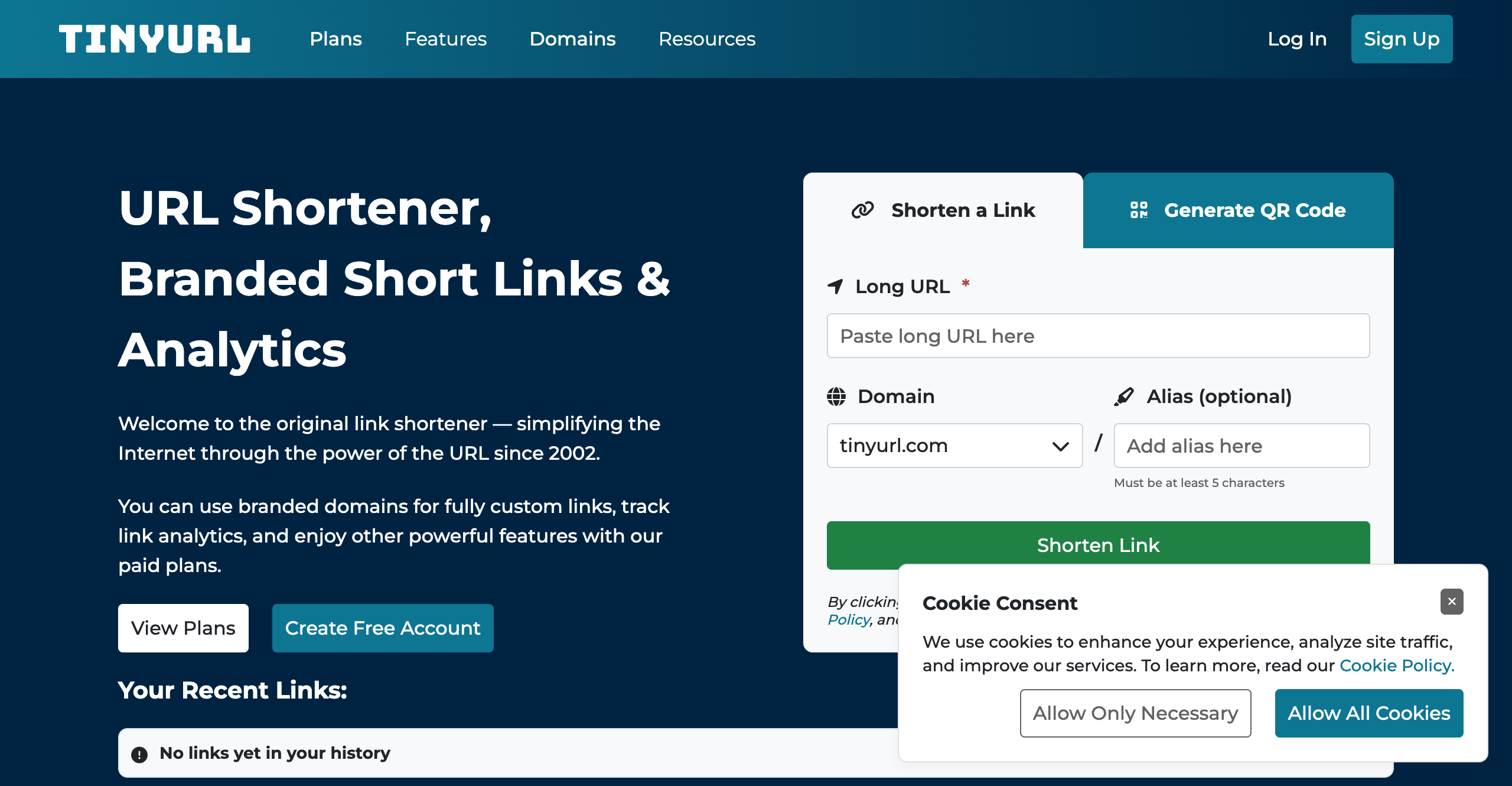
Capturas de Pantalla de TinyURL
Página de Inicio
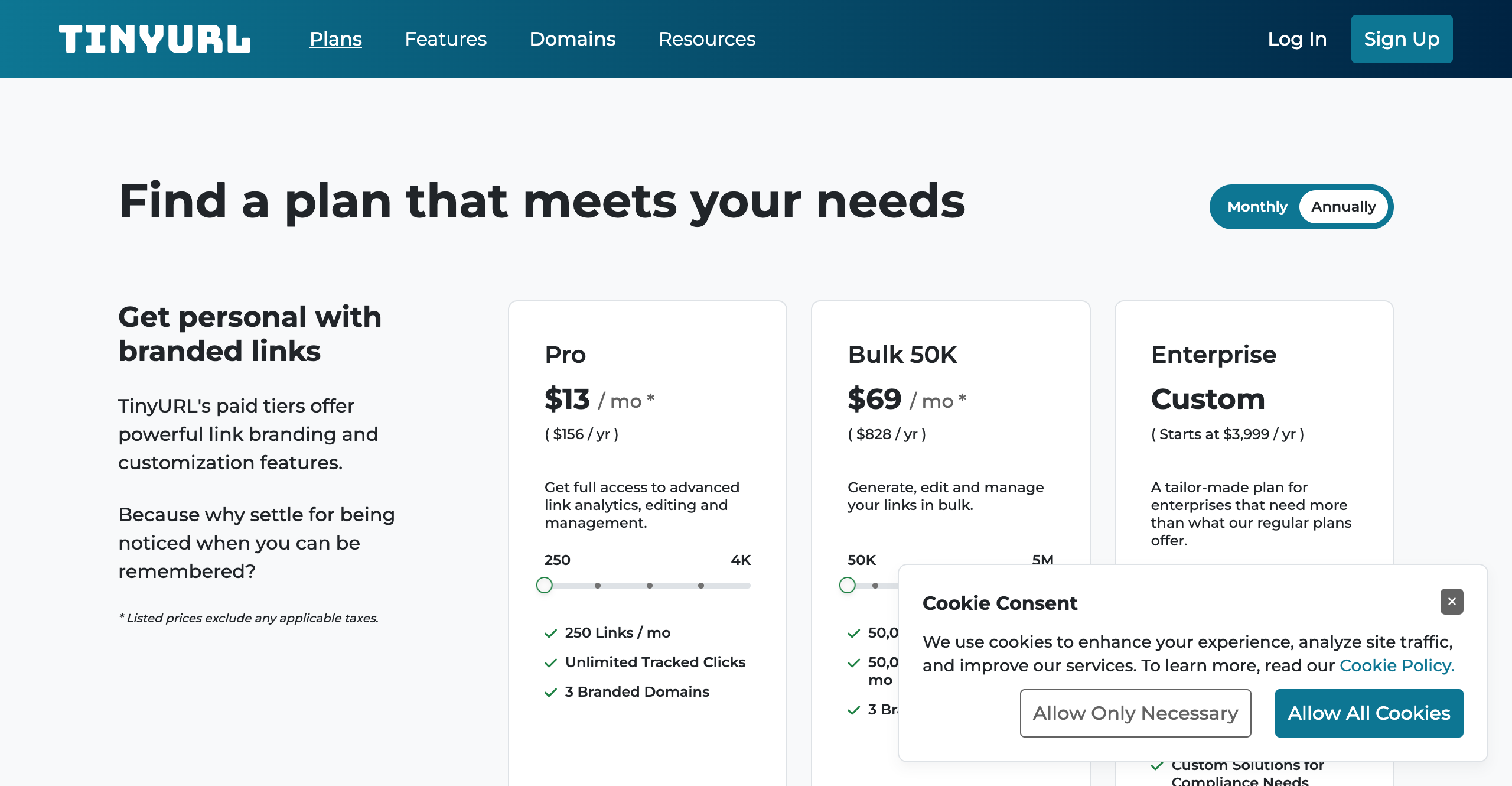
Página de Precios
Factor Diferenciador Clave de TinyURL
Marca pionera; confiabilidad y simplicidad
Precios de TinyURL
Funciones de TinyURL
- Interfaz simple
- Enlaces que nunca expiran
- Dominios personalizados
- Edición de enlaces
- Análisis básico (planes pagos)
- Códigos QR
Usuarios Objetivo de TinyURL
- Individuos
- Pequeños negocios
Integraciones de TinyURL
- Extensiones de navegador
- Zapier
API de TinyURL
Rendimiento de TinyURL
TinyURL se lanzó en 2002 y tiene la distinción de ser el acortador de URL original. Antes de Bitly, antes del t.co de Twitter, antes de que alguien hubiera acuñado la frase "plataforma de gestión de enlaces", TinyURL estaba resolviendo tranquilamente un problema real: las URLs largas se rompían en los correos electrónicos. Pegue un enlace de TinyURL en su lugar, y simplemente funcionaba.
Más de dos décadas después, TinyURL sigue presente y sigue haciendo lo que siempre ha hecho. El servicio es simple, confiable y sin disculpas, sin lujos. Para un acortamiento rápido de enlaces, sigue siendo una herramienta perfectamente útil. Pero el mercado de gestión de enlaces ha avanzado considerablemente desde 2002, y TinyURL no se ha mantenido completamente al día. Si está evaluando una alternativa a TinyURL para su conjunto de herramientas de marketing, esta reseña le ayudará a entender dónde encaja el servicio y dónde se queda corto.
Precios de TinyURL
TinyURL ofrece cuatro niveles, que van desde un plan gratuito generoso hasta una opción empresarial personalizada.
Gratuito -- Acortamiento básico de enlaces, generación de códigos QR y alias personalizados. El inconveniente es significativo: sin análisis en absoluto, y no puede editar enlaces después de su creación. Para acortamientos únicos donde nunca necesita rastrear clics, esto funciona bien.
Pro ($9.99/mes) -- Añade análisis, edición de enlaces, dominios personalizados y acceso a API con 10,000 llamadas por mes. Sin embargo, está limitado a 500 URLs activas. Para un especialista en marketing que ejecuta campañas en varios canales, 500 enlaces pueden agotarse rápidamente.
Bulk ($99/mes) -- Aumenta la capacidad a 300,000 URLs y 100,000 llamadas API por mes. La advertencia principal aquí es una política de expiración de URL de 90 días. Los enlaces que creó hace tres meses simplemente dejan de funcionar a menos que los administre activamente. Esto es un obstáculo para contenido perenne, campañas de SEO o cualquier caso de uso donde la permanencia del enlace importe.
Empresa -- Precios personalizados con características adaptadas. Los detalles están disponibles bajo solicitud del equipo de ventas de TinyURL.
Los precios son competitivos en el nivel inferior. A $9.99 por mes, TinyURL Pro es uno de los planes de acortamiento de enlaces pagos más asequibles disponibles. Pero el límite de 500 URLs y la ausencia de características de marketing avanzadas significan que está pagando por análisis básico y edición de enlaces en lugar de una plataforma integral.
Lo que TinyURL hace bien
Sería injusto descartar completamente TinyURL. El servicio ha ganado su longevidad por buenas razones.
La simplicidad es genuinamente útil. No se requiere registro para el plan gratuito. Visite el sitio, pegue una URL, obtenga un enlace corto. Para alguien que acorta un enlace una vez al mes, esta experiencia sin fricción es difícil de superar.
Los enlaces gratuitos nunca expiran. En el plan gratuito, los enlaces de TinyURL son permanentes. Esta es en realidad una ventaja significativa sobre algunos competidores que imponen ventanas de expiración o archivan enlaces inactivos. Un enlace de TinyURL que creó en 2005 todavía redirige hoy.
Reconocimiento de marca y confianza. TinyURL es uno de los dominios de URL corta más ampliamente reconocidos en Internet. Los destinatarios generalmente confían en los enlaces de tinyurl.com, lo que importa para las tasas de clics en correos electrónicos y mensajes.
Códigos QR en el plan gratuito. TinyURL incluye generación de códigos QR sin costo, lo que es un toque agradable para los usuarios que necesitan puentes básicos de impresión a digital.
Ideal para casos de uso únicos. Si necesita acortar un enlace único para un mensaje de texto o publicación de foro y nunca vuelve a pensarlo, TinyURL lo maneja perfectamente.
Limitaciones de TinyURL
Donde TinyURL se esfuerza es en la brecha entre el acortamiento casual de enlaces y la gestión profesional de enlaces. Esa brecha se ha ampliado considerablemente a medida que el mercado ha madurado.
Sin análisis en el plan gratuito. Esta es la limitación más significativa. En un mundo donde incluso el marketing básico requiere entender quién hace clic en sus enlaces, dónde se encuentran ubicados y qué dispositivo utilizan, ofrecer cero análisis en el nivel gratuito es una omisión significativa. Todas las principales alternativas de TinyURL ahora incluyen al menos seguimiento básico de clics sin costo.
Límite de 500 URLs activas en Pro. Para un plan pagado, limitar a los usuarios a 500 enlaces se siente restrictivo. Una única campaña de lanzamiento de producto con enlaces de seguimiento para correo electrónico, redes sociales, anuncios pagos y socios afiliados puede consumir fácilmente docenas de enlaces. Escale eso a lo largo de un año de campañas y 500 no es suficiente.
Expiración de URL de 90 días en Bulk. Esta es quizás la limitación más contraintuitiva. El plan diseñado para usuarios de alto volumen impone una ventana de expiración que penaliza el uso de alto volumen. Los enlaces creados para una campaña en enero se romperán en abril a menos que se administren activamente.
Sin píxeles de retargeting. Las plataformas modernas de gestión de enlaces le permiten adjuntar píxeles de retargeting de Facebook, Google y otros a sus enlaces cortos, construyendo audiencias a partir de cada clic. TinyURL no admite esto.
Sin orientación geográfica o de dispositivo. No hay forma de dirigir a los usuarios a diferentes destinos según su país, idioma o tipo de dispositivo. Para campañas internacionales o enrutamiento de aplicación versus web, esta es una brecha importante.
Sin pruebas A/B. No puede dividir el tráfico entre varios destinos para probar páginas de destino u ofertas.
Sin características de equipo. No hay concepto de espacios de trabajo, miembros del equipo o acceso basado en roles. TinyURL es una herramienta de usuario único.
API básica. Si bien el acceso a API está disponible en planes pagos, la funcionalidad es limitada en comparación con plataformas que ofrecen webhooks, operaciones por lotes y capacidades de integración más profundas.
Velocidad de redirección. Los puntos de referencia históricos han mostrado que los redireccionamientos de TinyURL se ejecutan aproximadamente 1.6 veces más lentamente que los de los competidores líderes. Aunque esto se mide en milisegundos y puede no importar para uso casual, puede afectar la experiencia del usuario y las tasas de conversión a escala.
Ventajas y desventajas de TinyURL
Ventajas:
- Marca pionera con más de dos décadas de confiabilidad
- Extrema simplicidad sin registro requerido para uso básico
- Enlaces gratuitos que nunca expiran
- Plan Pro muy asequible a $9.99 por mes
- Códigos QR incluidos en el plan gratuito
- Dominio corto de confianza bien conocido
Desventajas:
- Sin análisis en absoluto en el plan gratuito
- Límite de 500 URLs activas en el plan Pro
- Expiración de enlaces de 90 días en el plan Bulk
- Sin compatibilidad con píxeles de retargeting
- Sin reglas de enrutamiento geográfico o de dispositivo
- Sin pruebas A/B o división de tráfico
- Sin características de colaboración en equipo
- Velocidades de redirección más lentas que los competidores
- Integraciones mínimas de terceros
- Sin generador de UTM o herramientas de gestión de campañas
TinyURL vs Linkly
TinyURL y Linkly sirven necesidades fundamentalmente diferentes, aunque ambos acorten URLs.
TinyURL es un acortador de enlaces. Toma una URL larga y la hace corta. En el plan gratuito, eso es esencialmente todo lo que hace. En el plan Pro, obtiene análisis básico y edición de enlaces, pero el máximo es 500 enlaces sin características de marketing avanzadas.
Linkly es una plataforma de gestión y marketing de enlaces. Incluso en el plan gratuito, Linkly incluye análisis de clics, píxeles de retargeting, reglas de enrutamiento geográfico y de dispositivo, dominios personalizados, códigos QR, un generador de UTM, rotadores de enlaces y fuentes de datos de Google Sheets. El plan gratuito permite 500 clics rastreados por mes con enlaces ilimitados.
La comparación de precios vale la pena examinar. TinyURL Pro a $9.99 por mes le da análisis y 500 URLs activas. Los planes pagos de Linkly comienzan a $39 por mes para 25,000 clics rastreados con enlaces ilimitados, más el conjunto completo de características de marketing. Si bien TinyURL es más económico a nivel de entrada, el valor por característica se inclina fuertemente hacia Linkly una vez que necesita algo más que acortamiento básico.
Para equipos, la diferencia es aún más pronunciada. Linkly admite espacios de trabajo, miembros del equipo y bibliotecas de enlaces compartidas. TinyURL no tiene características de equipo a ningún precio.
Donde TinyURL gana es en pura simplicidad. Si realmente solo necesita hacer una URL más corta y no le importa rastrear, enrutar o hacer retargeting, TinyURL lo hace más rápido y con menos fricción que cualquier plataforma completa.
Conclusión
TinyURL merece respeto como el servicio que inició la categoría de acortamiento de URL. Sigue siendo una herramienta perfectamente buena para acortamiento de enlaces casual y único, y sus enlaces gratuitos duran para siempre. Para la persona que acorta un enlace una vez a la semana y nunca verifica el análisis, TinyURL es fine.
Pero el mercado ha evolucionado. Los especialistas en marketing moderno, equipos de crecimiento y empresas necesitan análisis para entender su audiencia, retargeting para capturar valor de cada clic y reglas de enrutamiento para entregar la experiencia correcta al usuario correcto. Estas no son características de casos extremos -- son mesa de apuestas para la gestión profesional de enlaces.
Si ha superado el acortamiento básico y necesita un conjunto de herramientas de enlaces de marketing completo, TinyURL no es la respuesta. Una plataforma construida específicamente como Linkly le proporciona las capacidades de análisis, retargeting y enrutamiento que TinyURL simplemente no ofrece, mientras que sigue manejando lo básico con la misma confiabilidad.
¿Buscas una Alternativa a TinyURL?
Prueba Linkly, el poderoso acortador de URL con análisis avanzados, dominios personalizados y seguimiento confiable.
Prueba Linkly Gratis