
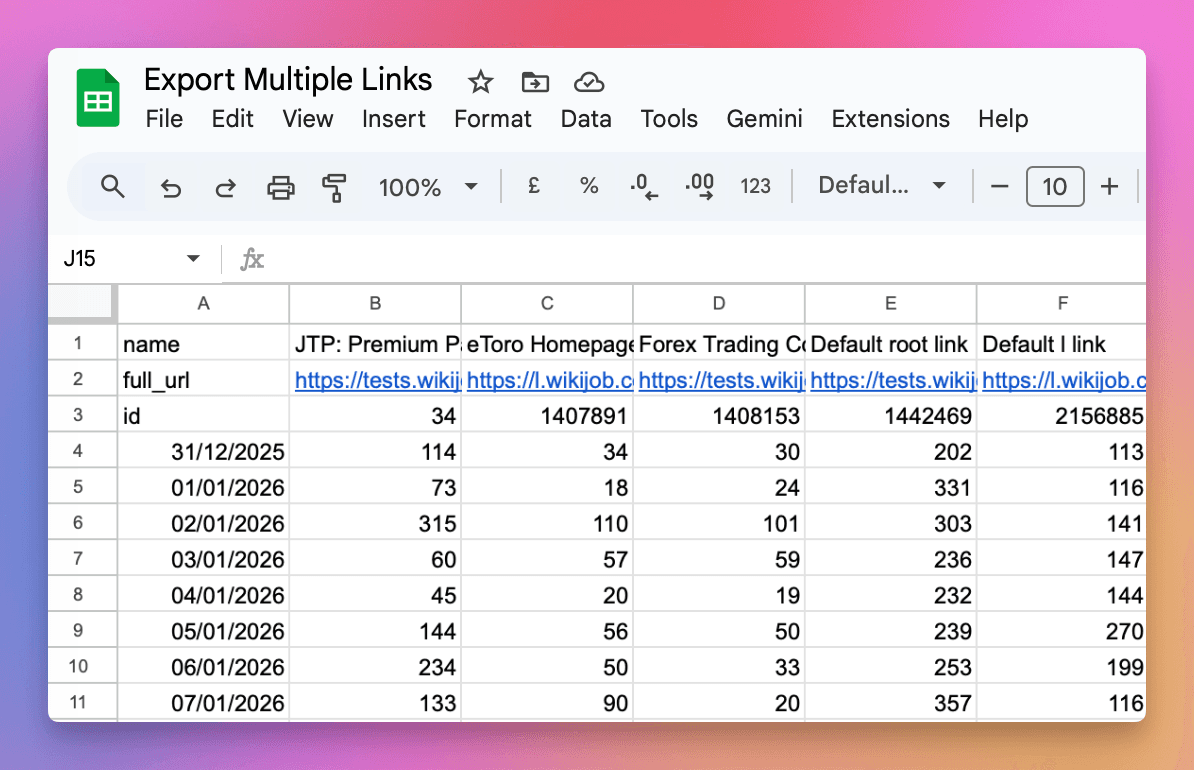
Export Data By Link makes it easy to download click analytics for all your links in a single file. Instead of exporting data link by link, you now get a matrix with dates as rows and links as columns.
The new Export Data dropdown in the traffic report gives you quick access to:
- By Link - All links in one file with clicks broken down by date (recommended)
- Totals - Aggregate daily totals across all links
- Raw Click Data - Individual click records with full details
- BigQuery - Direct SQL access for advanced analysis
- Webhooks - Real-time click notifications
Export as CSV for spreadsheets, or use the Google Sheets option to paste a live data feed formula that automatically updates.
See the Analytics API documentation for details on the new pivot=link_id parameter.
Get 100 short links and track 500 monthly clicks for free.